
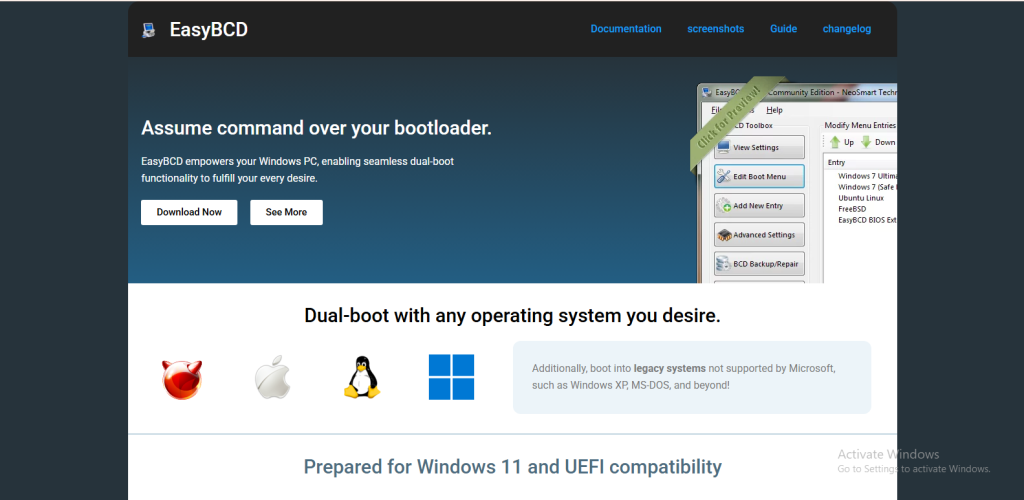
Managing a computer’s boot system may sound difficult, especially for people who are not very familiar with advanced Windows settings. Many users become confused when they hear terms like boot manager, dual boot, or boot configuration. This is where EasyBCD becomes useful. It is a software tool designed to make boot management simpler and easier for Windows users. The main question many beginners ask is whether EasyBCD is actually suitable for someone with little technical knowledge.
The simple answer is yes. EasyBCD is considered beginner-friendly because it provides an easy interface for tasks that would normally require complicated commands or technical steps. Instead of using difficult command-line tools, users can manage boot settings with a few clicks. However, beginners should still understand how the software works before making changes to important system settings.
What Is EasyBCD?
EasyBCD is a Windows application developed by NeoSmart Technologies. It helps users control and customize the Windows bootloader. The bootloader is the system responsible for starting an operating system when a computer turns on.
EasyBCD allows users to create dual-boot systems, repair boot problems, and change boot menu options without needing deep technical knowledge. For example, someone who wants to run both Windows and Linux on the same computer can use EasyBCD to organize the boot menu more easily.
The software supports different versions of Windows and also works with Linux, older Windows systems, and other operating systems. This flexibility makes it popular among both beginners and advanced users.
Why Beginners Like EasyBCD
One of the biggest reasons beginners prefer EasyBCD is its simple graphical interface. Windows users are generally more comfortable clicking buttons and selecting options than typing commands into Command Prompt. EasyBCD removes much of the complexity from boot management.
The layout is clean and organized. Important features are grouped into categories such as adding new entries, editing boot menus, backing up boot settings, and repairing problems. Beginners can usually understand the basics without reading long technical guides.
Another advantage is that EasyBCD saves time. Tasks that might normally require advanced commands can often be completed within minutes. This makes the software attractive to people who want practical solutions without learning complicated technical procedures.
EasyBCD Makes Dual Booting Easier
Many beginners first discover EasyBCD when they want to install two operating systems on one computer. Dual booting can be useful for gaming, software testing, or learning Linux while still keeping Windows.
Without tools like EasyBCD, configuring dual boot systems may involve editing boot files manually. That process can feel risky and confusing for inexperienced users. EasyBCD simplifies the process by offering guided settings and automatic configuration options.
For example, if someone installs a Linux distribution alongside Windows, EasyBCD can help create the correct boot entry so both systems appear in the startup menu. This reduces the chances of configuration mistakes.
The ability to rename operating systems in the boot menu is also helpful. Beginners often like customizing the menu so it looks clearer and easier to understand during startup.
Helpful Features for New Users
EasyBCD includes several features that are especially useful for beginners. One important feature is boot backup and recovery. Before making changes, users can create a backup of their current boot configuration. If something goes wrong, the original settings can usually be restored quickly.
Another useful feature is boot repair. Sometimes computers fail to start properly due to damaged boot files. EasyBCD provides repair tools that can help fix these issues without requiring advanced troubleshooting skills.
The software also allows users to change boot timeout settings. This controls how long the boot menu stays on screen before automatically loading an operating system. Beginners appreciate having simple control over these settings.
EasyBCD also supports portable tools and virtual disk booting, although these features are more commonly used by advanced users. Even so, beginners may eventually grow into these features as they become more comfortable with the software.
Is EasyBCD Completely Safe for Beginners?
Although EasyBCD is beginner-friendly, users should still be careful when modifying boot settings. The bootloader is an important part of the operating system. Incorrect changes can prevent a computer from starting correctly.
The good news is that EasyBCD provides backup options that help reduce risk. Beginners who follow instructions carefully usually do not face serious problems. However, it is always smart to back up important files before changing boot configurations.
It is also important to download the software from the official source to avoid security risks or fake versions. Beginners should avoid random download websites that may include unsafe software bundles.
Reading tutorials or watching beginner guides before using EasyBCD can also improve confidence and reduce mistakes.
Advantages of EasyBCD for Beginners
One major advantage is simplicity. The software transforms complex boot management into an easier visual process. This reduces stress for users who are not comfortable with technical commands.
Another advantage is flexibility. EasyBCD supports multiple operating systems and offers many customization options. Beginners can start with simple tasks and later explore advanced features if needed.
The software also saves time by automating many processes. Instead of searching for complicated command-line instructions online, users can manage settings directly through the interface.
EasyBCD is also lightweight and does not require powerful hardware. Most modern Windows computers can run it smoothly without performance issues.
Possible Drawbacks Beginners Should Know
While EasyBCD is easier than manual boot editing, it still deals with advanced system settings. Beginners who click random options without understanding them may create boot problems.
Some features may also feel confusing at first because they involve technical terms related to partitions, bootloaders, or operating systems. New users may need some time to understand the terminology.
Another point is that EasyBCD is mainly focused on Windows boot management. Users expecting a complete Linux boot management tool may find some limitations compared to Linux-based alternatives.
Despite these drawbacks, most beginners find EasyBCD easier to understand than traditional boot management methods.
Who Should Use EasyBCD?
EasyBCD is ideal for Windows users who want a simple way to manage boot settings. It is especially useful for beginners interested in dual booting or fixing startup problems without learning complicated command-line tools.
Students, gamers, developers, and computer enthusiasts often use EasyBCD because it allows them to experiment with multiple operating systems more easily. It is also useful for users upgrading systems or testing software in different environments.
People who only use one operating system and never change boot settings may not need EasyBCD regularly. However, having the tool available can still be helpful during troubleshooting situations.
Final Thoughts
EasyBCD is widely considered a good choice for beginners because it simplifies tasks that would normally require technical knowledge. Its clean interface, backup tools, and easy boot management features make it accessible even for users with limited experience.
The software is particularly valuable for dual boot setups and startup repair tasks. Beginners can perform complex operations more safely and efficiently compared to manual methods. While caution is still necessary when changing boot settings, EasyBCD greatly reduces the difficulty involved.
For anyone curious about boot management or interested in running multiple operating systems, EasyBCD offers a practical starting point. With a little care and basic understanding, beginners can use it successfully and gain more confidence in managing their computers.